
Align the LTC in Reaper
Align the time in Reaper
We prefer Reaper as our DAW, but it has some drawbacks that really suck.
Unlike other professional DAWs, you can't import recordings according to their LTC.
For example: We made some test-recordings with the ECHO projects "ESMA-3D v2". We used the twelve microphones as described HERE and an additional "Voice of God", an omni that is placed 75 cm above the over microphones.
So we have thirteen channels in total.
As our Zoom F8n and Zoom F8n Pro offer only eight channels per unit, we locked them via SMPTE timecode and digital wordclock. So they are in sync. Well, most of.
When you import the 8 resp. 5 channels into Reaper, you will find out, that there is a time-gap between them. We requested this as a feature request at the Reaper team, but nothing happened, so far.
But there is a work around. Not very convenient, but reliable.
When you right-click on a track or press Ctrl+F2 ....
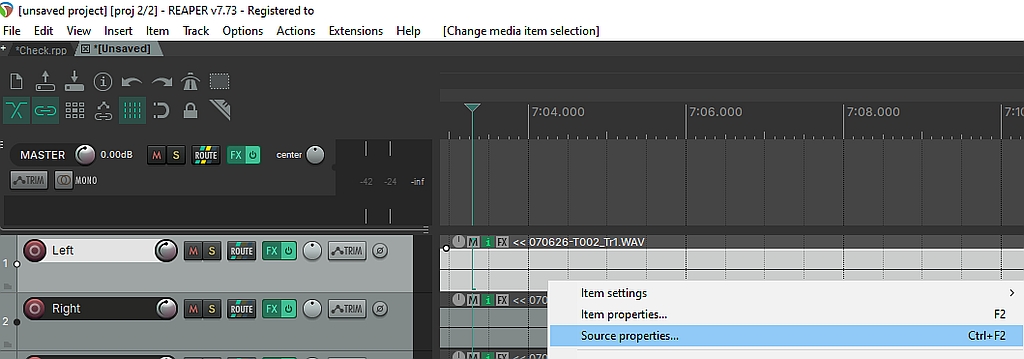
You will get this window:
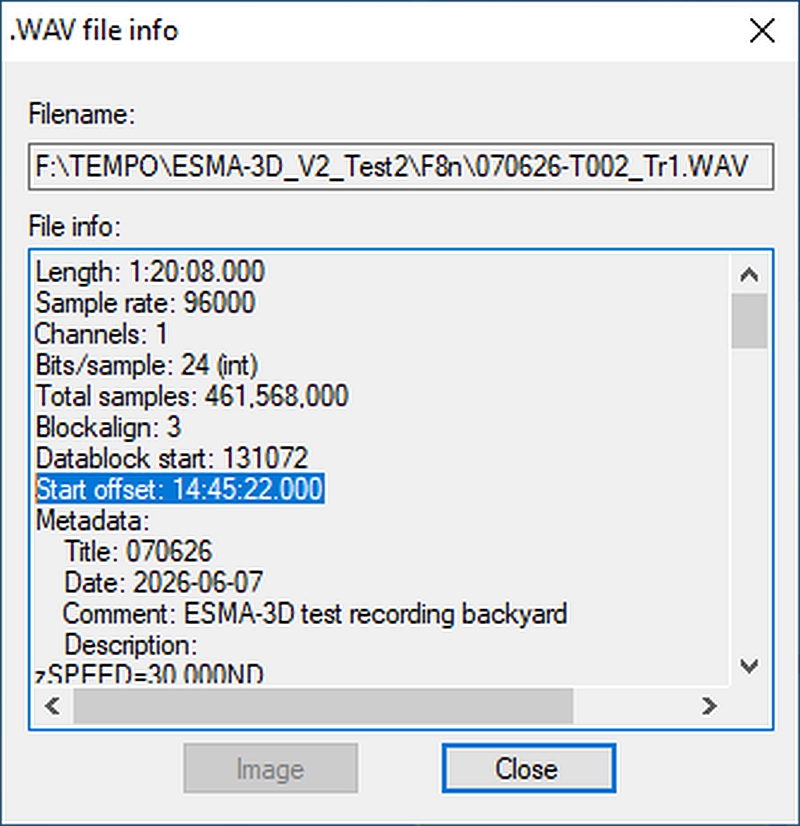
You should copy & paste this information to an editor.
Now do the same with a track that has been recorded with the other recorder:
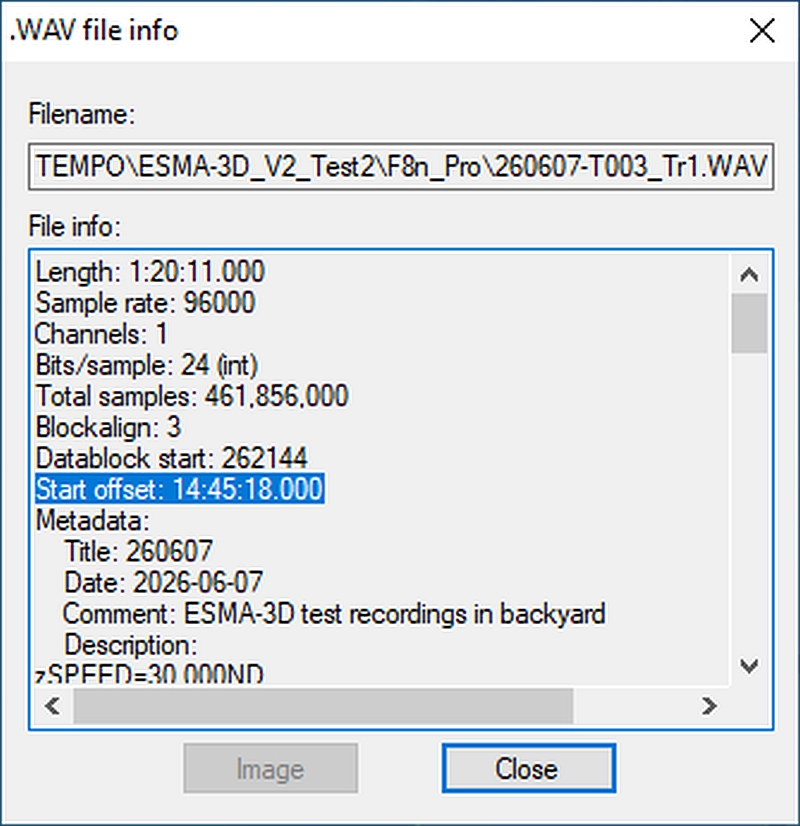
This Start offset reads: 14:45:18:000. Which means it has been started exactly four seconds ahead of the other recorder.
Now its pretty easy. Jump to the start of your tracks and mark all the tracks, that will be shifted.
Put the marker at 00:00:04:000 and move the desired tracks to this mark. As all tracks should be aligned by the wordclock, this should bring anything in absolute sync.
YES! You are absolutely right. This SUCKS! But it works!
If you know a better way to align the tracks in a more convenient way, please let us know! Feedback is ALWAYS welcome!