
Spcmic on Windows 11
Spcmic on Windows 11
If, like us, you're a fan of the spcmic and want to use it with Reaper on Windows 11, the following information might save you a lot of headaches:
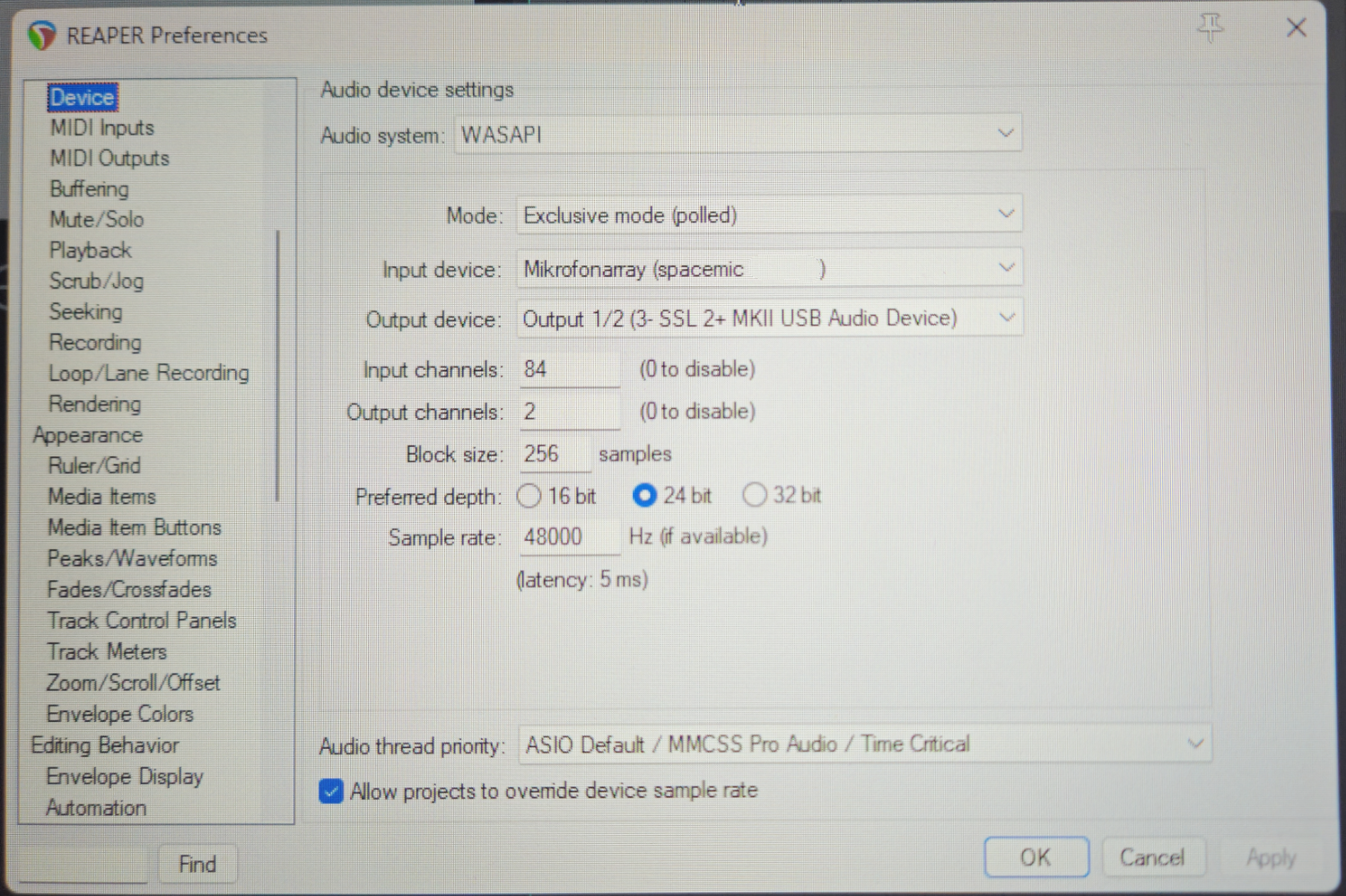
The input device is the "Microphonearray (spacemic <your SN>)
The output is your individual output. In our case a SSL 2+ MKII.
If you made your choices click "Apply" and "OK"
First, create a track with 84 channels!
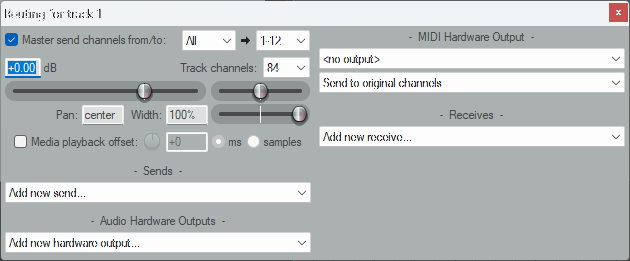
Then click the red “Record” button in your track.
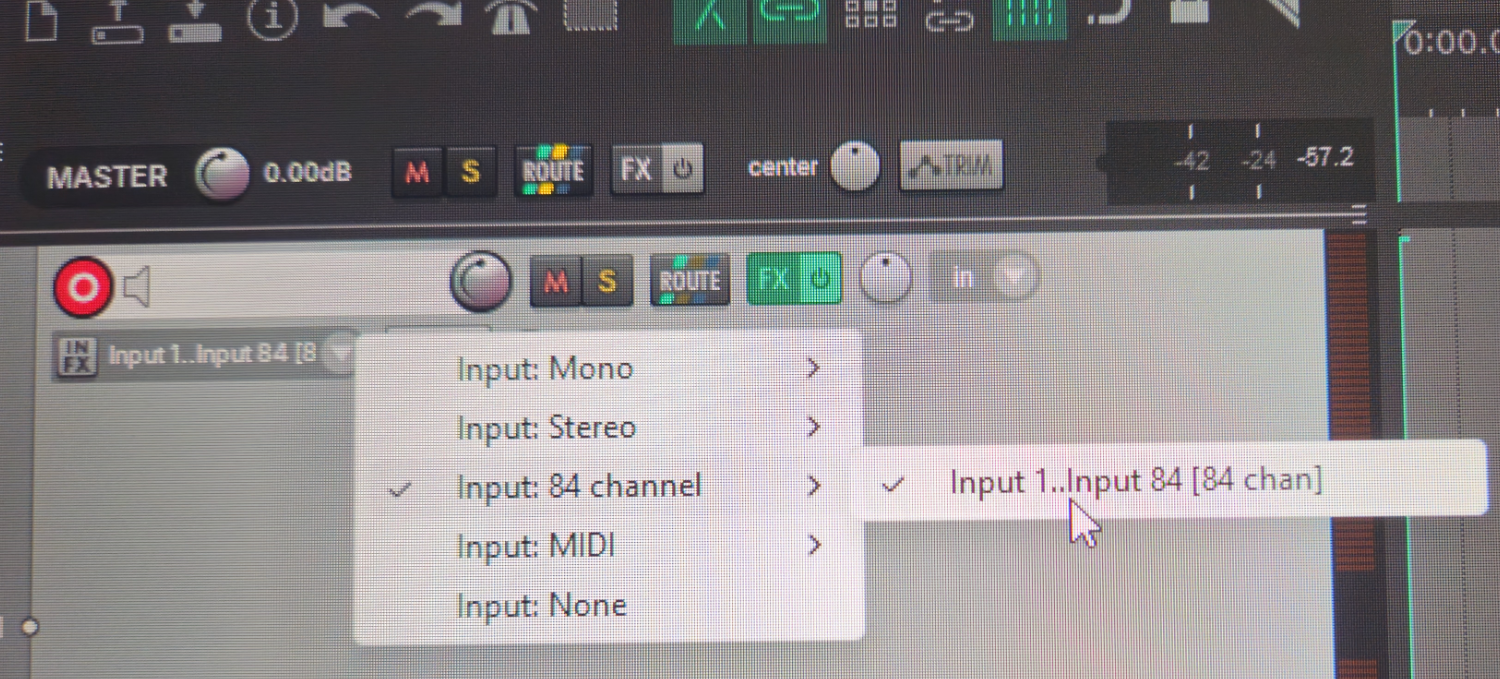
A drop-down menu with a white downward arrow will now appear below it. Click on it, and the following screen will appear:
For more convenience you right-click on the meter bar and the following fly-out menu appears:
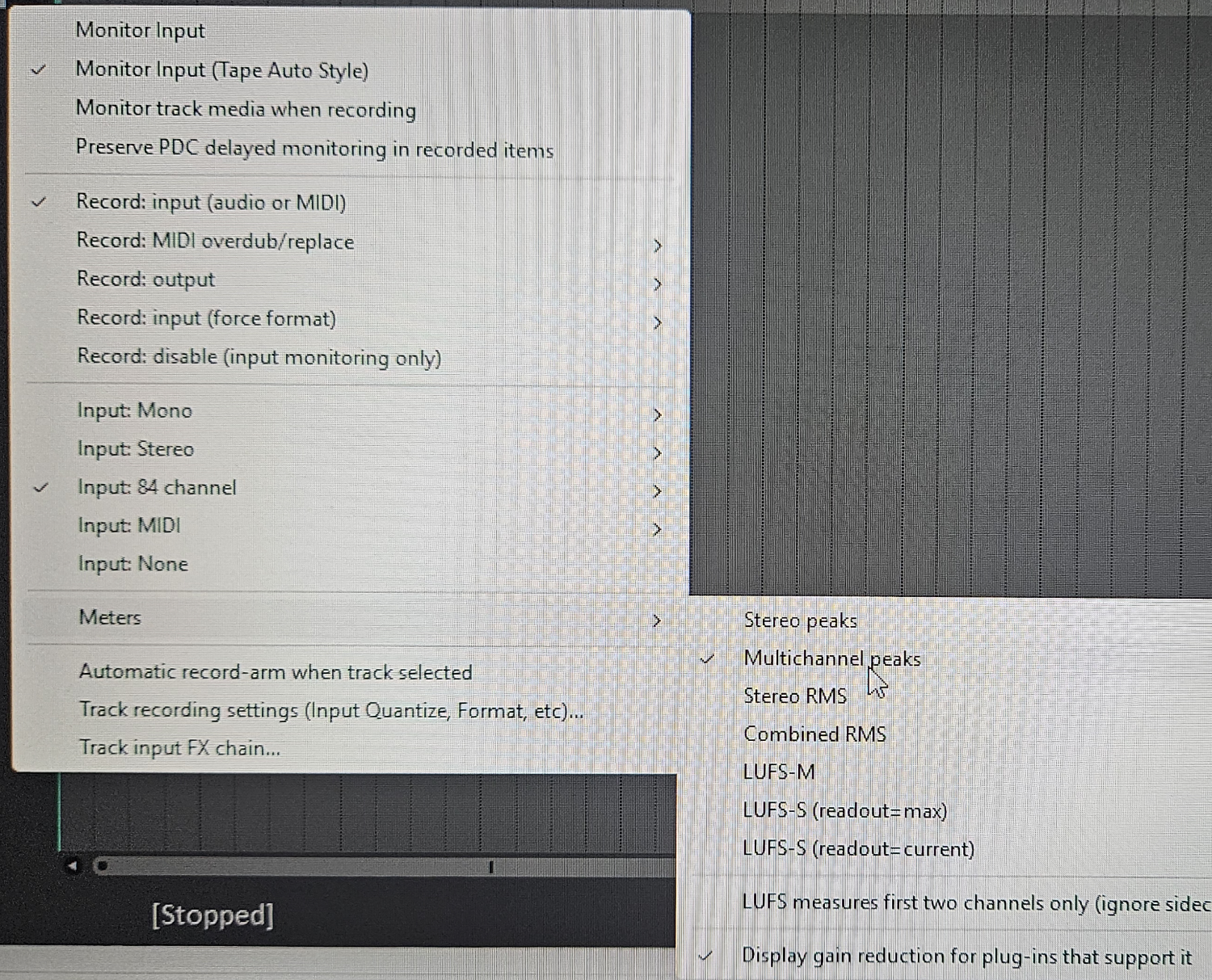
No you should see 84 tracks of input on your track. :-)
Now your are good to go and happy recording!