
Synchronize it!
Synchronize it!
We discussed the advantages of use different layers while connecting the microphones of the arrays to your recorders.
YES! Plural! And this leads us to the important topic of synchronization!
Since there are many mobile recorders out there, we can't provide a solution for any possible combination, for obvious reasons. We will describe a solution that we use almost every time and that has served us well.
Synchronization between a Zoom F8n and a Zoom F8n pro
For all arrays that require more than eight channels, such as all of the ECHO project's arrays, we use a Zoom F8n and a Zoom F8n Pro.
To achieve tight synchronization, configure the Zoom F8n Pro to record with 24 bits and the same sampling frequency as the F8n. If you miss this important step, your recordings will never be well synchronized. Trust us, we've "tested" ( ;-) ) this several times.
Now you should connect the two recorders with a BNC cable on the back where the two connectors are for synchronization.
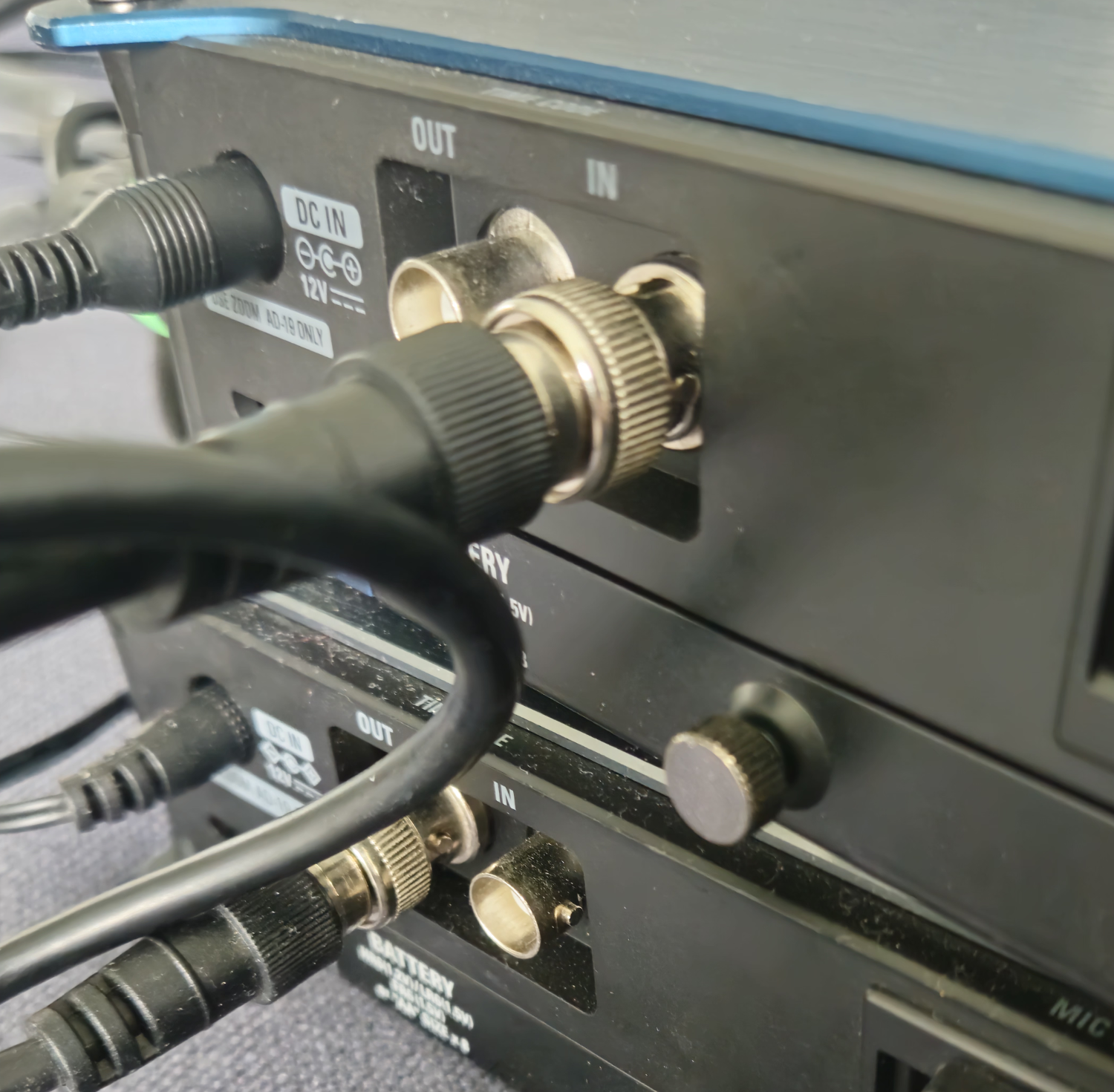
It is up to your personal taste, which one will be the "master" and which will be the "follower". We made good experiences with choosing the F8n pro as "Master" and the F8n as "follower".
Then you should configure an internal timecode on the "Master". We usually use SMPTE with "30 fps non drop". As long as you chose the same on the "follower", it is up to you.
Now comes a nifty trick. You may configure the "follower" to follow the "Master" when you press "record" on the "Master". Usually the "follower" will follow this command, but with a little time delay.
In many DAWs you just drop in the recordings and it synchronizes the tracks automatically. If you are using Reaper, like we do, you may find the about "Align the LTC in Reaper" helpful. This is a workaround for this missing feature in Reaper!
Now comes the little tricky part:
Configuration of the "Master"
Press the "MENU" button and you'll get to this menu
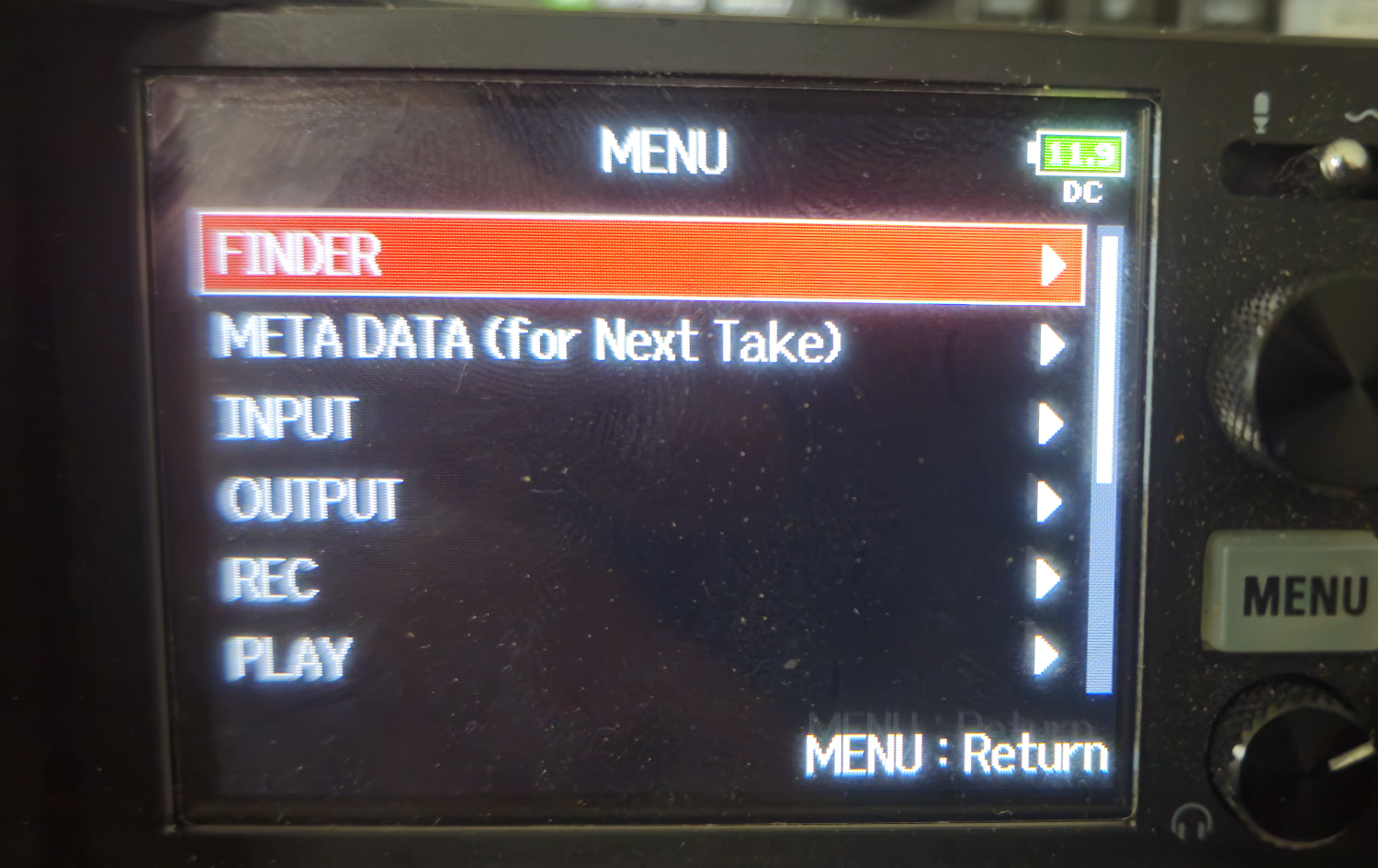
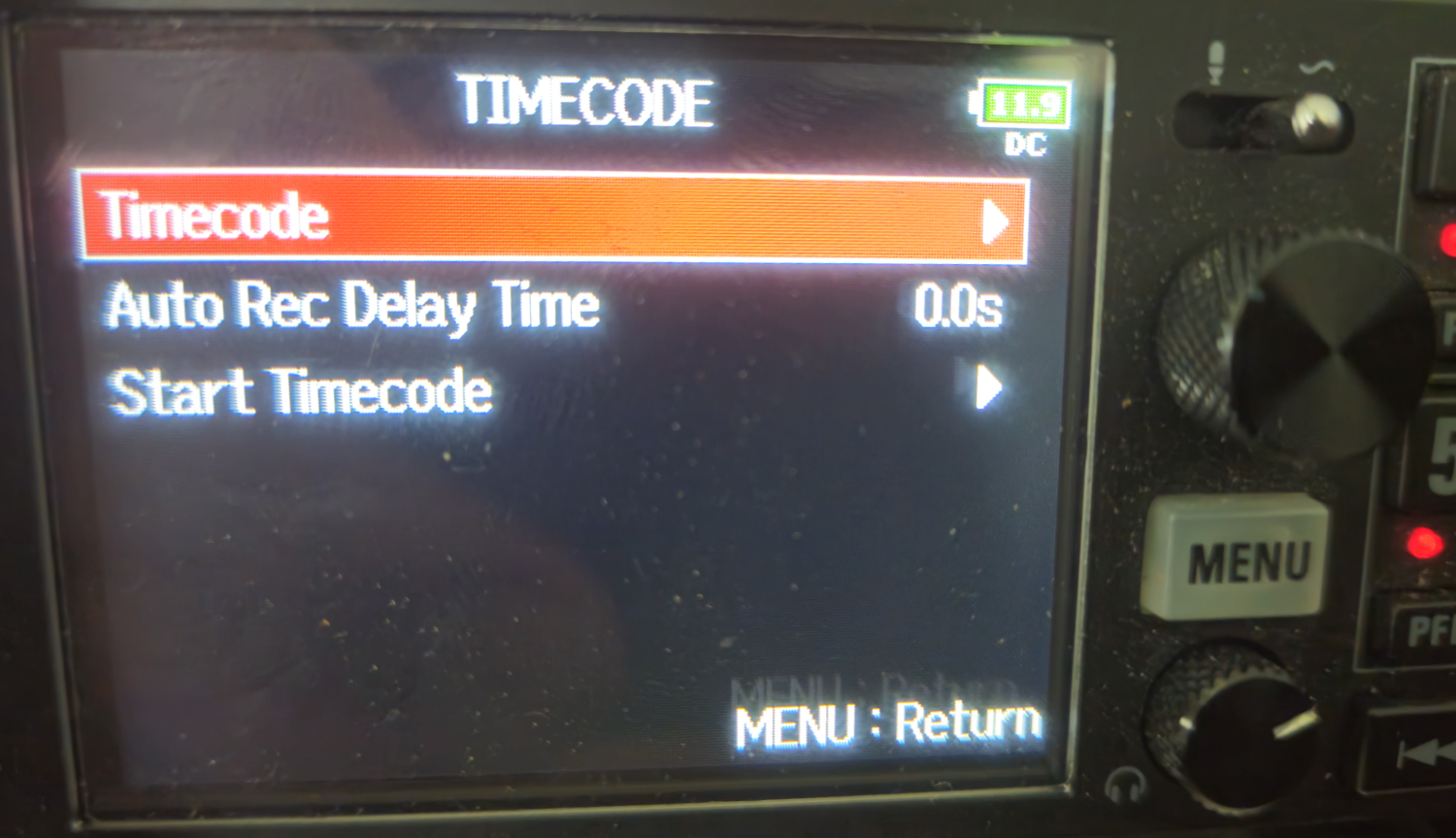
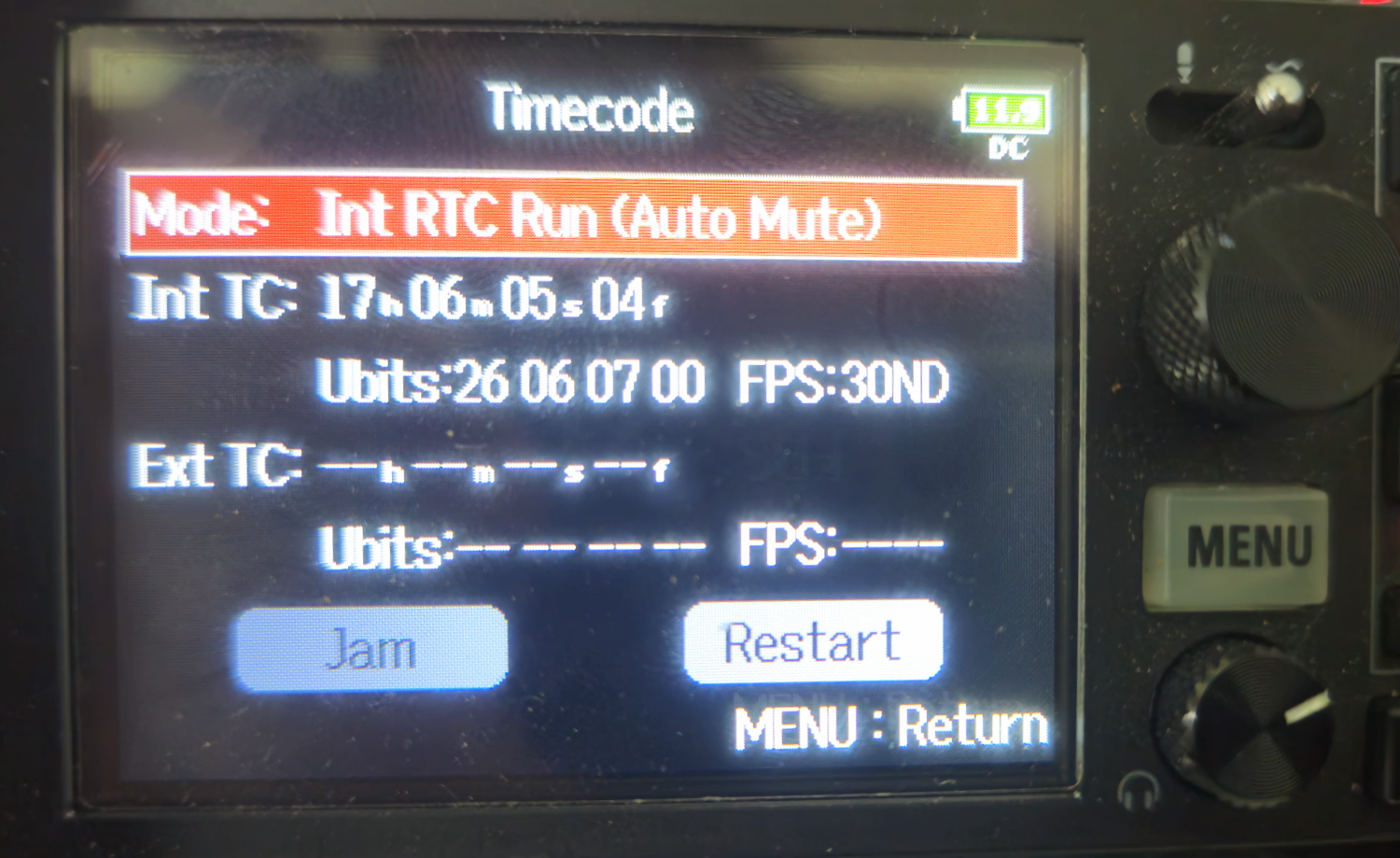
This means, the "Master" is using its internal RealTime module to provide a time. For convenience in post, this should be the exact time of the location where you are going to record.
We choose FPS: 30 ND as the current format of the LTC. (30 frams per second, non drop).
Now we continue with the "Follower".
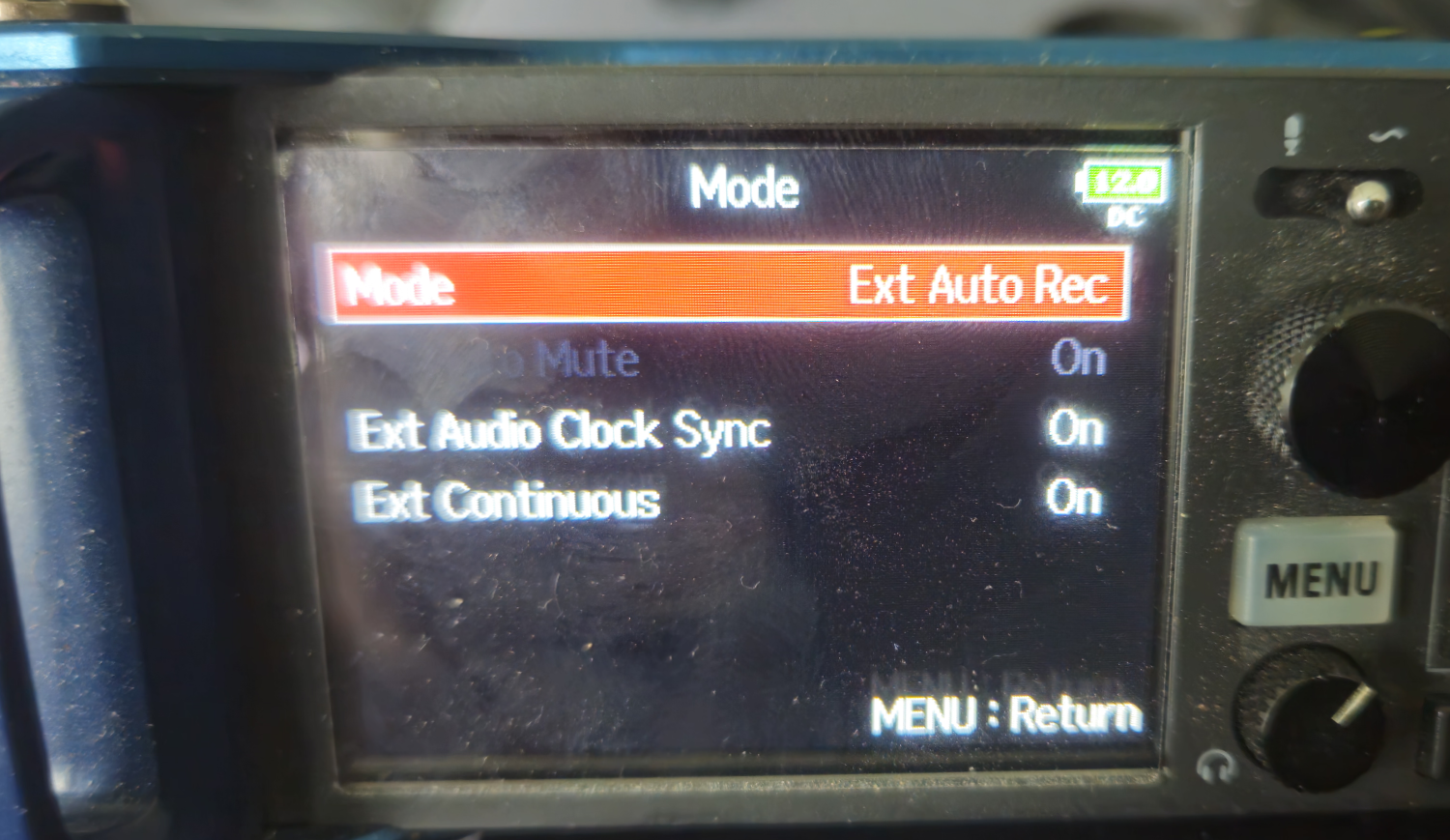
You also should pay attention to the other entries. "Ext Audio Clock Sync" must be "On", as well as "Ext Continuous" must be "On".
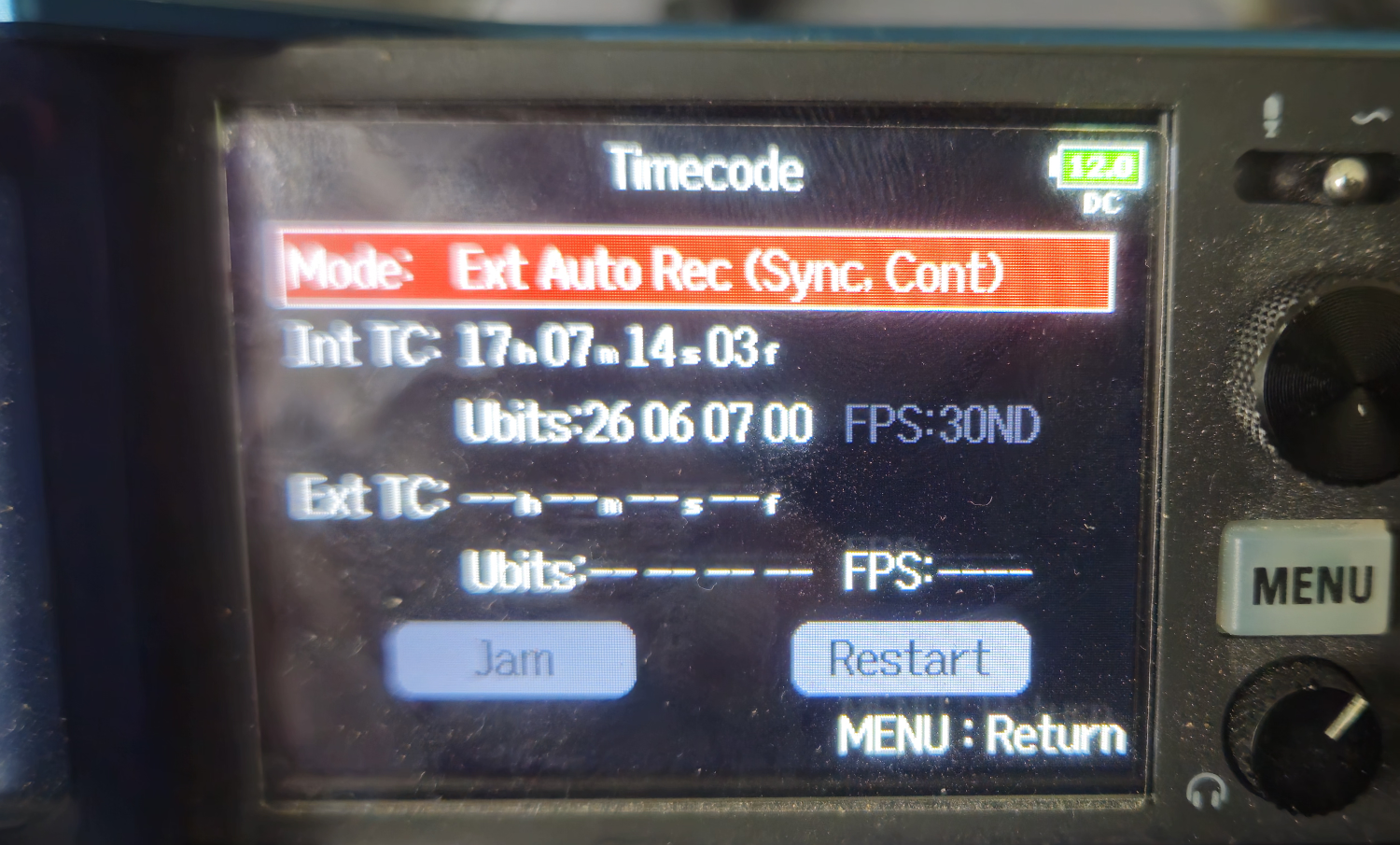
Wait a minute! - There is no external timecode coming in! - YES! You are right. This is due to configuration on the "Master"
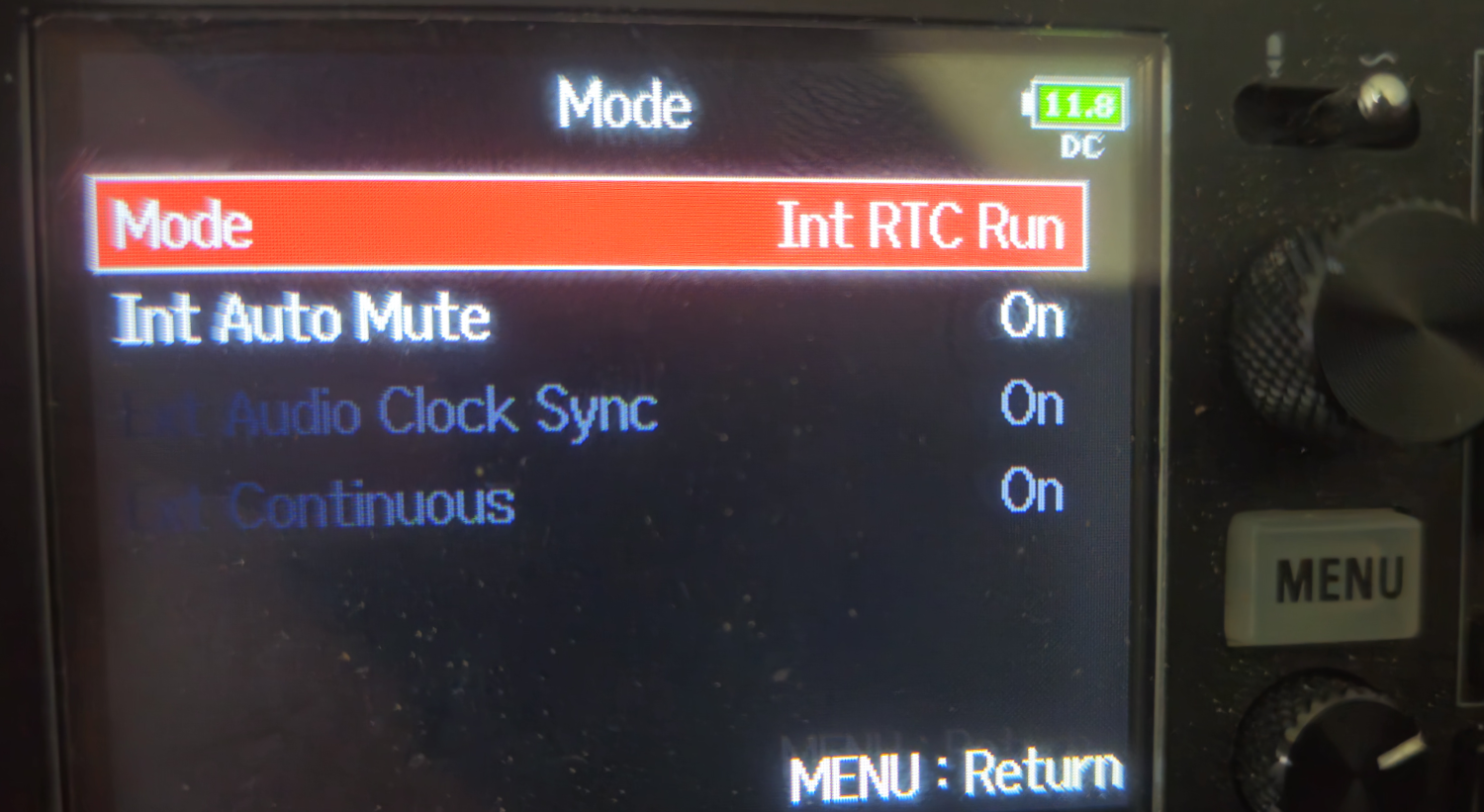
We didn't get any explanation of the support of Zoom, why the following only works, if the the internal timecode is not send to the "Follower". Anyway.
But now we return to the recording screen on both recorders, where you see all you tracks.
Now comes some magic. When you press "record" on the "Master", the "Follower" will follow automatically! If and only if you configure the recorders as described above.
BUT ...
... with a delay of EXACTLY four seconds. Fair enough!
Either your DAW fixes this automatically or you have to do it manually like in Reaper. ( "Align the LTC in Reaper").
We like this pretty much, because this provides you with very stable synchronized tracks. They are at the same audio clock and this means accuracy down to a sample of your audio track.
The "price" you pay is the four-second-delay. We think this is worthwhile it.
If someone could explain the details why this is the only configuration with which it works, we would be more than happy to learn and understand!
Synchronization between two Zoom F8n pro
Mainly this works the same as described above, with the main difference, that there is no gap of 4 seconds between the recordings.
The start right from the first second in sync!
This makes things a lot easier, not only while recording, but also in post.
We recommend this setup, as it is much more convenient.
Tipp:
You should mark the "Master" somehow!
Either a little tape with a "M" on it or what ever floats your boat.
It doesn't work, if you try to start this setup by pressing "record" on the slave machine.